

Hey internet and future kids,
This week has been a bit all over the place but it’s been fun.
The star of the week is a new system I’ve built to capture and organise my ideas before I forget them.
But before we dive into all that technical talk I have something I want to show you {{firstName}}.
On Saturday I went into Spain with my mum and dad to buy some meat from the butcher’s. Whilst waiting in line I looked down and saw this:
I didn’t even know dogs could have dreadlocks.
Maybe I was just tired from the night out before but I was far too amazed by this.
A full on Rasta Dawg.
I now know what I want to be reincarnated as.
MY BRAIN DOESN’T SAVE ITS WORK
Cool, we’ve now broken the weirdness barrier.
Perfect time to switch gears and talk about my memory.
I’ve always been pretty good at remembering how things work.
Systems, processes, and anything analytical seem to stick quite easily.
Regular life stuff is a different story.
A spontaneous idea or something a friend’s told me seems to have a lifespan of about five minutes before disappearing into the abyss.
This gets awkward when a friend brings up something they told me a couple of weeks ago and I have no clue what they’re on about.
I’m just there smiling and nodding. Waiting for a little cue to jog my memory without making it obvious I’ve forgotten the entire conversation.
So as you can see this sucks quite a bit.
I also have a toxic trait where my best ideas arrive at the least convenient times.
When that happens I usually have two options. Find somewhere to write it down or decide I’m suddenly built different and will remember it this time.
You can probably guess how the second option goes.
The first isn’t much better either. My Notes app is full of vague entries that probably made sense at the time but now look like I was trying to send myself a cryptic message.
Sometimes I feel like I’ve cracked the code on something. Then I write a little note and come back to it with absolutely no idea what I meant.



I remember having a good idea. Just not what the idea was.
So this week I’m building a system where I can record a voice note wherever I am and yap through the whole thought.
It then organises everything somewhere I can actually find and use it later.
And wouldn’t it be cool if the ideas I wanted to build could also become tasks automatically?
Foreshadowing.
SOMEWHERE FOR ALL THE THOUGHTS
Recording the idea is only half the problem. I also need it to be accessible when I’m actually working.
The annoying thing about using different productivity apps is that each one ends up holding a different piece of your brain.
You might save an idea in one app but need it whilst working in another. So you have to find it and copy it over before explaining the context again.
Pretty inefficient and not sexy.
My solution was to give all my notes one central place to live and connect the tools I use to it.
A second brain basically. Hopefully with a better memory than the first one.
You’re probably thinking, “Jake just get a notebook.”
I have one. This is just a much more fun way to organise my thoughts.
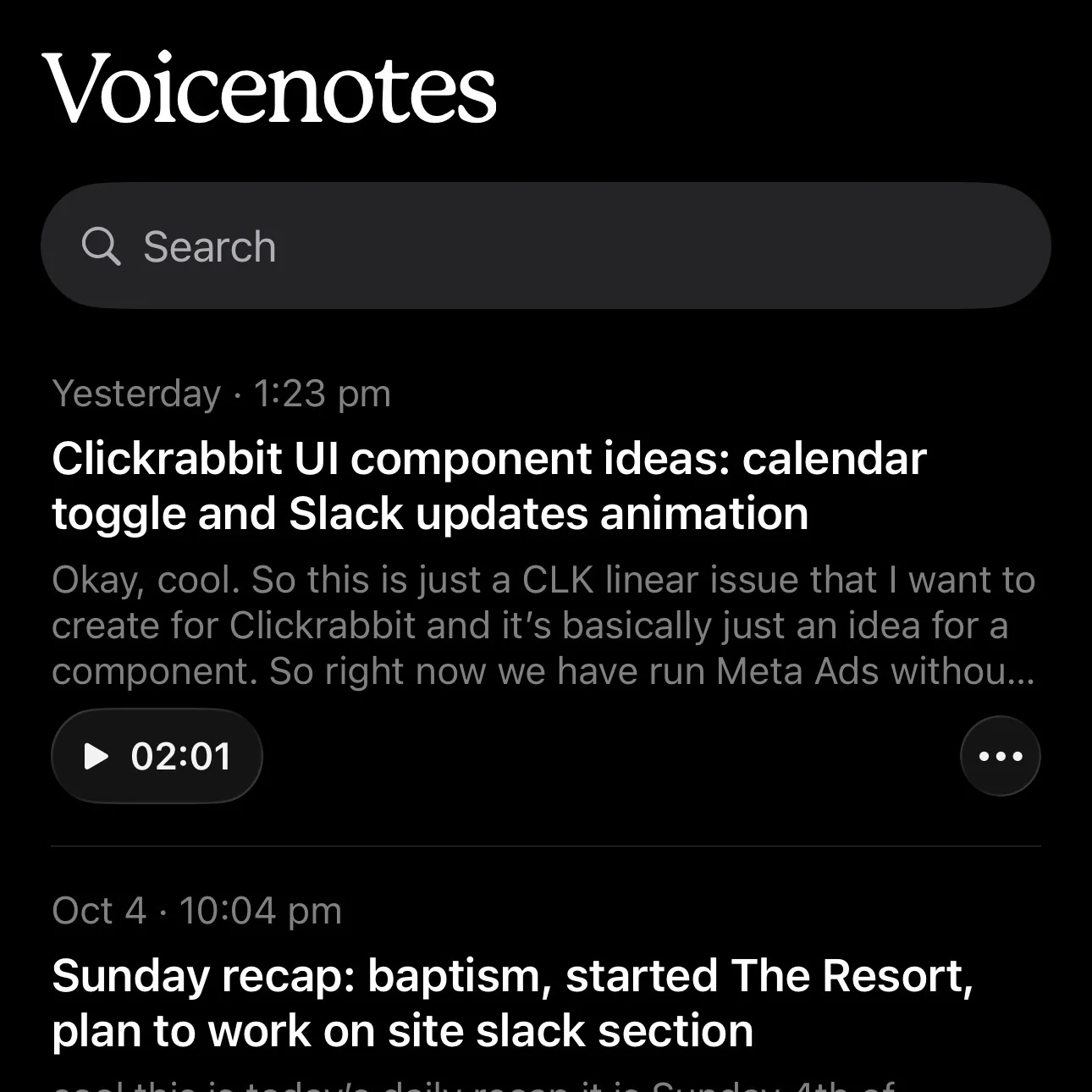
Anyway, the starting point for this is an app called VoiceNotes.
I bought a lifetime subscription a few years ago after seeing it launch on Product Hunt.
I like speaking through ideas as because explaining something out loud helps me spot gaps in my own thinking.
Sometimes I work those gaps out as I’m talking. Other times I realise the idea probably deserved to disappear after five minutes.
Either way I can open the app and yap until I’ve got the thought out.
From there the system does the organising for me.
It takes the written transcript and works out what it’s about. Then it assigns the relevant labels and stores it in Supabase.
Supabase is the database behind this setup. Think of it as a shared storage cupboard for my thoughts.
VoiceNotes is how they get into the cupboard. The AI tools I work with can then open it and pull out whatever information they need.
So when I’m using ChatGPT or Claude I can ask something like:
“Find the idea I recorded about the Slack component for Clickrabbit two weeks ago.”
It can pull up what I said and we can carry on developing the idea from there.
I’ve also set up an MCP server. Slightly intimidating name but it’s basically a connection that lets tools like Codex and Claude Code access the same notes.
It might sound like a lot of moving parts but it was surprisingly easy to set up.
I can now record a voice note and have it saved in one central place. Then ask any of my connected AI tools to find it when I need it.
No more hunting through apps to find an idea and copy it over.
That’s the foundation sorted. Now for the tasks.
FROM YAPPING TO A TASK
It wouldn’t be a Life of Jake week if we didn’t build something slightly over the top.
Having my thoughts stored somewhere accessible was already pretty cool. But what if I could say an idea out loud and have it automatically turned into a task I could work on later?
The simplest way was to give the system a phrase to recognise whenever I wanted that to happen.
That phrase is “Linear issue”.
Linear is the task manager I use for anything I want to build or fix in my projects. A Linear issue is basically just another name for a task.
So now I can open VoiceNotes and say:
“Create a Linear issue for a new component on the Clickrabbit site.”
Then I yap through what I want it to look like and how it should work.
The system recognises the request and pings me on Slack asking whether I want to create the issue or not.
I included this step because I was getting a few false positives. So this stops my task manager getting spammed with things I never intended to work on.
If I press yes it creates the issue in Linear with the transcript attached.
When I’m ready to work on the idea it’s already there with the original context.
I can just ask an AI to help me expand the task and plan how to build it.
I can even do that from my phone.
Beautiful.
NOW LET’S GET A BIT MORE NERDY
The bit deciding how to label each note and whether it contains a task request needs a little AI help.
For this kind of automation I usually use an older and cheaper model.
Sorting a voice note doesn’t really justify bringing out the most expensive one available.
But recently I’ve been testing a new one called Jev from TypeSafe AI
It works differently from the chat models you’re probably familiar with.
Instead of generating a written reply it returns structured answers with probability estimates.
So I can give it a transcript and ask how likely it is to contain a task request or which category it belongs in.
The automation then uses those results to decide what happens next.
Which makes it quite useful for sorting my daily waffle.
It’s also extremely cheap.
I loaded my account with $10 and the balance still doesn’t seem to have moved. This is despite recording voice notes every single day for the past week.
I don’t know if it’s a glitch or if my usage really is that cheap.
Either way I’m happy.
JULIAN’S SECOND BAPTISM
Last bit from me for the week is just a funny story I want to read back in the future.
On Sunday I went to a baptism for my friend’s daughter.
Halfway through the ceremony it started pissing it down like crazy.
Luckily it had slowed down a lot by the time we left the church. So my mate Julian and I walked back to our bikes to drive to the lunch venue.
Bear in mind it was only about a 100m walk. If that.
A car came speeding past and drove straight through a puddle. Completely engulfing Julian in a wave.
I was on the other side of him so he acted as a human shield.
I stayed completely dry. He had to go home and get changed.
Unlucky Julian. Thank you for the sacrifice.